
Google My Business Verification: Complete UK Guide 2026
Getting your business verified on Google isn't just a tick-box exercise. It's the crucial step that transforms your online presence from invisible to indispensable. Without google my business verification, you're essentially operating in the shadows whilst your competitors shine brightly on Google Maps and local search results. In 2026, customers expect to find businesses instantly, and if your profile isn't verified, you're losing enquiries every single day. We've seen countless UK businesses struggle with this process, which is why understanding exactly how verification works matters more than ever.
Why Google My Business Verification Matters for Your Business
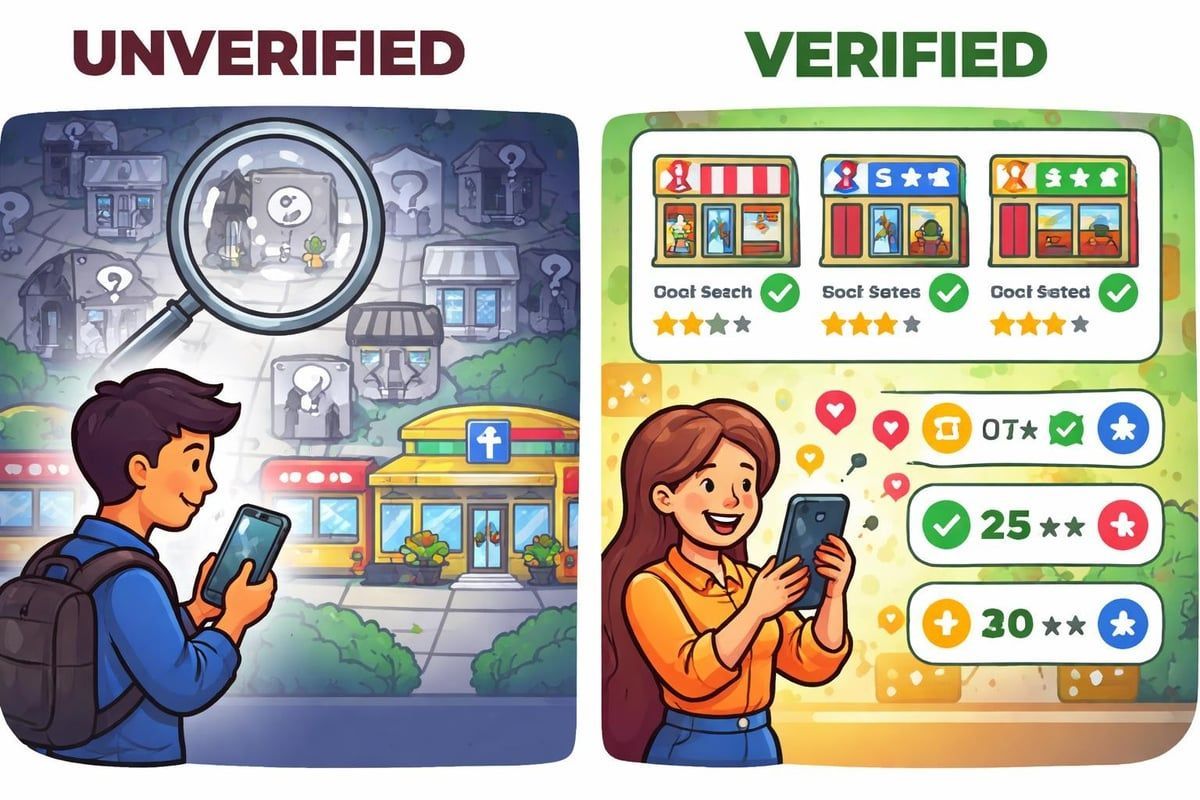
The difference between a verified and unverified business profile is enormous. When you complete google my business verification, you unlock the ability to appear in the coveted Google Maps pack, where customers actively searching for services like yours can discover you immediately.
Trust is the foundation of local search. Customers browsing Google Maps naturally gravitate towards verified businesses. That small checkmark signals legitimacy, professionalism, and authenticity. Without it, potential customers question whether your business is even real.
Here's what happens when you don't verify:
- Your business won't appear in Google Maps search results
- Customers can't find your location or contact information easily
- Competitors with verified profiles rank above you automatically
- You lose control over how your business information appears
- Reviews and ratings won't display properly
The impact on your bottom line can be significant. Research shows that businesses appearing in the local pack receive substantially more enquiries than those buried in organic results. Google's verification requirements have become increasingly strict, particularly for service-based businesses, making professional assistance valuable.
Understanding the Different Verification Methods
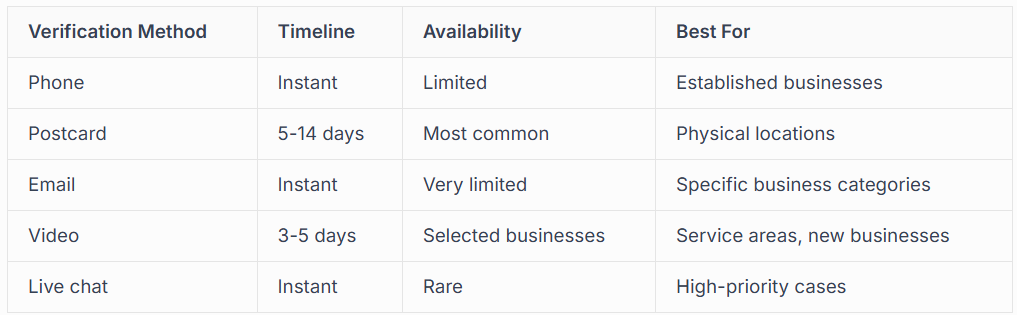
Google offers several verification methods, and the option you receive depends on your business type, location, and Google's assessment of your profile. You can't always choose your preferred method, but understanding each one helps you prepare.
Postcard Verification
This traditional method remains the most common for physical storefronts and service-area businesses. Google sends a physical postcard to your business address containing a unique verification code. The postcard typically arrives within 5-14 business days, though delays can occur.
When it arrives, you simply log into your Google Business Profile, enter the code, and your business becomes verified.
Sounds simple, but many businesses face challenges:
- Postcards getting lost in the post
- Address discrepancies preventing delivery
- Multiple verification attempts triggering suspensions
- Waiting periods that delay your marketing plans
Our Google Business Profile verification services handle these complications daily, ensuring smooth processing without the frustration.
Phone Verification
Instant verification makes phone verification the preferred option when available. Google sends an automated call or SMS with a verification code to your business phone number. You enter the code immediately and you're verified.
Not every business qualifies for phone verification. Google typically offers this to established businesses with consistent online information across multiple platforms. The phone number must be publicly listed and associated with your business.
Email Verification
Email verification works similarly to phone verification but uses your business email domain. This method appears primarily for businesses with established websites using professional email addresses matching their domain name.
Video Verification
Introduced more recently, video verification requires you to record a video walkthrough of your business premises.
You'll need to show:
- Your business signage clearly visible from the street
- Interior spaces matching your business category
- Yourself explaining your business operations
- Evidence connecting you to the business address
This comprehensive verification approach helps Google combat fake listings whilst providing an alternative when postcard delivery proves problematic. The video review process typically takes 3-5 business days.
Common Verification Challenges and Solutions
Even straightforward google my business verification can hit unexpected roadblocks. We've resolved hundreds of verification issues for UK businesses, and certain problems appear repeatedly.
Address Problems
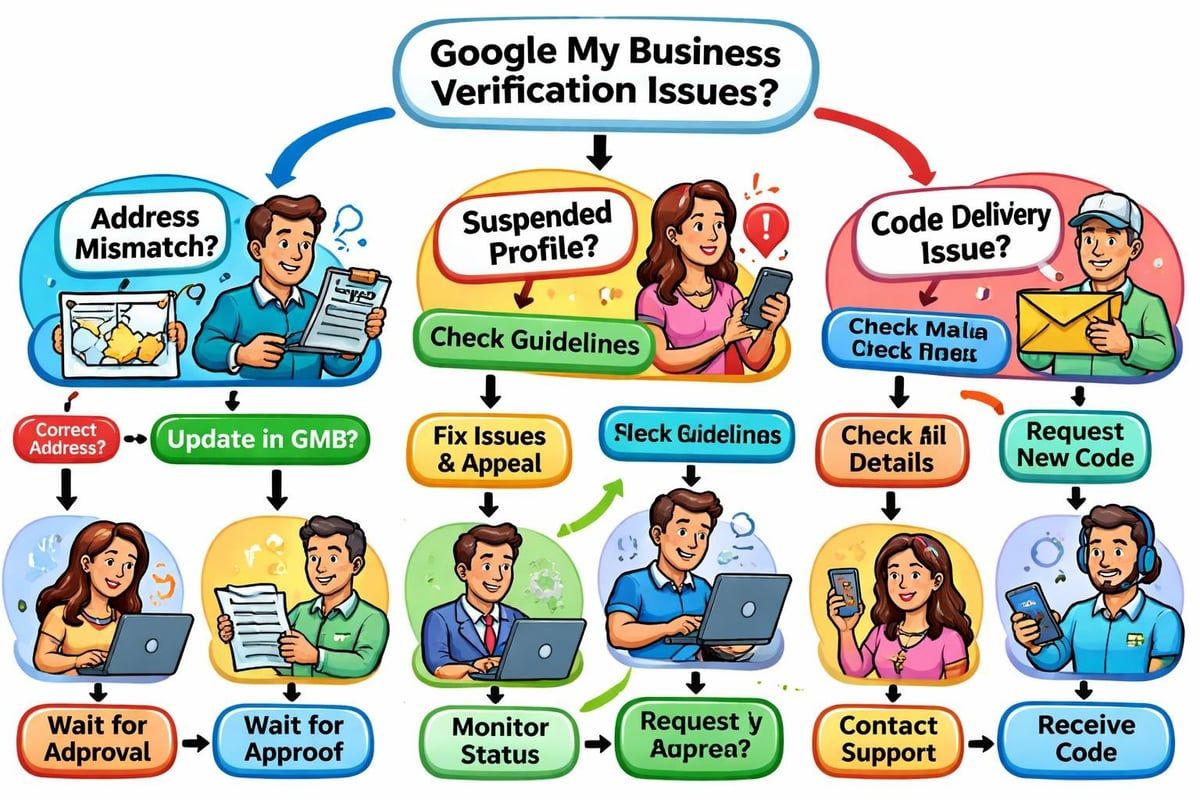
Mismatch between your business address and public records causes immediate verification failures. Google cross-references your address with official databases, directories, and other online sources.
If your address appears differently across various platforms (abbreviated street names, different suite numbers, old postcodes), Google flags your listing as inconsistent.
Before requesting verification, ensure your address matches exactly across:
- Companies House registration
- Your website contact page
- Online directories and citations
- Social media profiles
Service-area businesses face unique challenges because they don't serve customers at their business address. Google's policies require careful navigation to verify correctly whilst complying with guidelines.
Multiple Verification Attempts
Requesting verification codes repeatedly triggers Google's spam detection systems. Never request more than one verification code at a time. If your first postcard hasn't arrived after 14 days, contact Google support rather than requesting another.
Some businesses accidentally create multiple Google Business Profiles for the same location, then attempt to verify each one. This creates a tangled mess that often requires professional reinstatement services to resolve.
Suspended During Verification
Nothing frustrates business owners more than having their profile suspended mid-verification.
Google's automated systems sometimes flag new listings as suspicious, particularly when:
- You've recently changed your business name
- Multiple businesses operate from the same address
- Your category seems inconsistent with your business activities
- Rapid changes occur to your profile information
Suspensions require careful handling. Rushing through appeals without understanding Google's concerns typically results in permanent bans. Our team specialises in navigating suspension issues successfully.
Step-by-Step Verification Process
Let's walk through the complete google my business verification process from start to finish. Following these steps carefully increases your success rate substantially.
Before You Begin
Preparation prevents problems.
Gather these items before starting:
- Official business documentation (Companies House registration, business licence)
- Consistent business name exactly as it appears legally
- Verified business address with proper formatting
- Business phone number actively answered during business hours
- Business category that accurately describes your primary service
- Website URL (if you have one)
Ensure your business complies with Google's verification guidelines before proceeding. Ineligible businesses include PO boxes, virtual offices, and certain service-area configurations.
Creating Your Profile
Sign into Google Business Profile using the Google account you want to manage the listing. Search for your business name and location to check whether a listing already exists. If someone else created a listing for your business, you'll need to claim ownership first.
If no listing exists, create a new profile by entering:
- Your exact business name (no keyword stuffing)
- Precise business category
- Complete address or service areas
- Contact phone number
- Website address
Accuracy matters tremendously. Double-check every field before saving. Changing information after requesting verification can trigger suspensions.
Requesting Verification
Once your profile is complete, Google presents available verification methods. You cannot choose your method; Google determines eligibility based on your business information and category.
For postcard verification:
- Click "Verify now" in your Business Profile dashboard
- Confirm your mailing address is correct
- Request the postcard
- Wait 5-14 days for delivery
- Enter the code when it arrives
The waiting period tests patience, but requesting multiple postcards creates complications. Trust the process and monitor your post carefully.
After Verification
Completing google my business verification isn't the finish line; it's the starting point.
Immediately after verification, optimise your profile completely:
- Add high-quality photos of your business, team, and work
- Write a compelling business description
- Set accurate business hours including special hours
- Add services or products with descriptions
- Enable messaging if appropriate for your business
- Respond to any existing reviews
A verified but incomplete profile wastes the opportunity. Customers need comprehensive information to choose your business confidently. Our Google Business Profile management services ensure your profile works hard to attract customers.
Verification for Multiple Locations
Businesses operating across several locations face amplified complexity. Each location requires separate google my business verification, but managing them efficiently requires strategic planning.
Bulk Verification Options
Google offers bulk verification for businesses with 10 or more locations.
This process requires:
- Chain business documentation proving ownership
- Consistent branding across all locations
- Accurate data for every location in spreadsheet format
- Authority to represent the business officially
Bulk verification isn't necessarily faster, but it streamlines management through a centralised dashboard. The application process involves verification of your authority to manage multiple locations.
Managing Verification Timelines
Staggering verification requests prevents overwhelming your team.
When managing multiple locations, create a verification schedule that allows adequate time for:
- Receiving and processing postcards at each location
- Coordinating with location managers or franchisees
- Optimising each profile thoroughly after verification
- Monitoring for verification issues requiring intervention
Never rush through multiple verifications simultaneously. Problems multiply when you're juggling numerous locations at once.
What to Do If Verification Fails
Sometimes google my business verification doesn't go smoothly despite your best efforts. Knowing how to respond determines whether you overcome obstacles quickly or remain stuck indefinitely.
Postcard Never Arrives
After 14 days without receiving your postcard, verify your address is formatted correctly.
Common issues include:
- Missing or incorrect flat/suite numbers
- Abbreviated street names not matching official records
- Postcodes entered incorrectly
- Mail delivery issues at your location
Check with your local sorting office whether mail addressed to your business has been misdirected. Then contact Google support explaining the situation. They can sometimes offer alternative verification methods or issue a new postcard.
Code Doesn't Work
Occasionally verification codes fail when entered correctly.
This happens when:
- The code has expired (postcards expire after 30 days)
- You've attempted verification too many times
- Technical glitches affect Google's systems
- Your profile was suspended after the code was issued
Checking your verification status helps diagnose whether technical issues or policy violations cause the problem.
Profile Gets Suspended
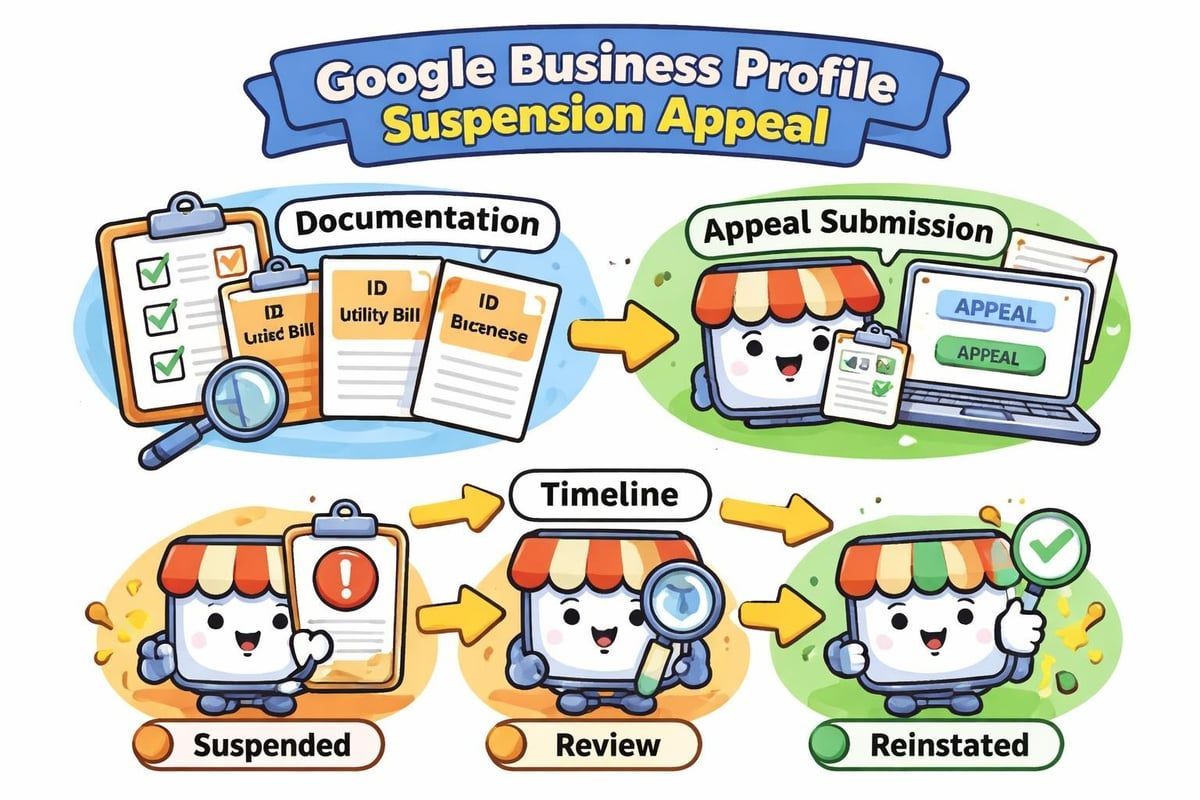
Suspension during verification requires immediate, careful attention. Don't create a new profile as this violates Google's policies and typically results in permanent bans.
Instead, appeal the suspension through Google's reinstatement form.
Your appeal should:
- Acknowledge the suspension professionally
- Provide evidence your business is legitimate and compliant
- Explain what may have triggered the suspension
- Demonstrate how you'll maintain compliance going forward
Maintaining Verification Status
Achieving
google my business verification doesn't guarantee permanent status. Google continuously monitors business profiles for compliance, and violations can result in reverification requirements or complete removal.
Avoiding Common Pitfalls
Protect your verified status by avoiding these mistakes:
- Changing your business address frequently signals instability or manipulation
- Keyword stuffing your business name violates Google's guidelines
- Operating from prohibited locations like residential addresses for non-home businesses
- Creating duplicate listings for the same location
- Misrepresenting your business category or services
Google's algorithms detect suspicious patterns automatically. Manual reviewers investigate flagged profiles, and violations result in swift penalties.
Regular Profile Maintenance
Keep your verified profile current and accurate:
- Update business hours immediately when they change
- Add new services or products as you expand
- Respond to customer reviews professionally and promptly
- Upload fresh photos regularly showing your current business
- Monitor your profile for unauthorised edits from users
Active management signals to Google that your business is legitimate and engaged with customers. Neglected profiles may undergo reverification or face removal.
Professional Verification Assistance
Many businesses find the verification process unnecessarily complicated, especially when dealing with suspensions, multiple locations, or category-specific challenges. Professional assistance accelerates verification whilst avoiding costly mistakes.
When to Seek Expert Help
Consider professional verification services when:
- Your business operates in competitive, scrutinised categories
- Previous verification attempts failed
- You're managing multiple locations needing verification
- Your profile was suspended during the verification process
- Time constraints prevent careful attention to the process
- You lack technical confidence navigating Google's systems
UK-based experts understand regional nuances that international services miss. Our founder's background as a tradesman who built his business through Google Business Profile gives us unique insight into what local businesses need.
What Professional Services Include
Comprehensive verification services encompass:
- Pre-verification profile audit identifying potential issues
- Accurate setup ensuring all information meets Google's requirements
- Verification method management (postcard tracking, video preparation)
- Troubleshooting when problems arise during verification
- Post-verification optimisation maximising your profile's effectiveness
- Ongoing monitoring preventing future compliance issues
Rather than spending weeks struggling with verification whilst losing potential customers, professional services get you visible quickly and correctly.
The ROI of Proper Verification
Investing time and resources into proper google my business verification delivers measurable returns that compound over time. Businesses appearing prominently in local search results experience:
Increased enquiry volume from customers actively searching for their services. The local pack captures attention before organic results, driving higher click-through rates.
Improved conversion rates because customers finding you through Google Maps are typically ready to buy. They're searching with intent, not browsing casually.
Enhanced reputation management as verified profiles display reviews prominently. Responding professionally to reviews builds trust and attracts new customers.
Competitive advantage over unverified competitors who remain invisible in local search. Even small visibility improvements translate into significant revenue differences over months and years.
The Vermont Small Business Development Center's comprehensive verification guide demonstrates how proper setup drives measurable business growth for local companies.
Verification and Your Broader Marketing Strategy
Google my business verification integrates seamlessly with other marketing activities, amplifying their effectiveness when coordinated properly.
Connecting Verification to Local SEO
Verified profiles form the foundation of successful local SEO strategies.
When you combine verification with:
- Consistent NAP (Name, Address, Phone) citations across directories
- Location-optimised website content
- Local link building from community organisations
- Customer review generation campaigns
You create a comprehensive local presence that dominates search results. Our website SEO services integrate Google Business Profile optimisation with broader ranking strategies.
Supporting Paid Advertising
Verified Google Business Profiles enhance paid advertising effectiveness significantly. When customers see your ads alongside a verified local profile, credibility increases substantially.
Google Ads campaigns benefit from location extensions pulling information from your verified profile. This integration ensures consistency across all customer touchpoints. Understanding Google advertising costs helps budget effectively whilst leveraging your verified profile.
Building Long-Term Visibility
Verification isn't a one-time task but the beginning of ongoing profile management. Businesses that treat their Google Business Profile as a living marketing asset rather than a static directory listing consistently outperform competitors.
Regular updates, customer engagement, and strategic optimisation compound over time. Your verified profile becomes increasingly valuable as you accumulate reviews, photos, and customer interactions.
Special Considerations for Service-Area Businesses
Tradespeople, mobile services, and businesses serving customers at their locations rather than a fixed storefront face unique verification challenges.
Address Display Rules
Service-area businesses can hide their business address whilst still appearing in local search results for their service areas. However, you must verify using a physical address even if you don't show it publicly.
Google's policies require:
- A real address where you can receive mail (no PO boxes)
- The address must be within or near your service areas
- You cannot use virtual offices or coworking spaces as your address
- Your address must be staffed during stated business hours
These rules prevent spam whilst allowing legitimate mobile businesses to compete in local search.
Defining Service Areas Accurately
After verification, service-area businesses define the locations they serve. Be realistic and specific rather than claiming overly broad territories.
Google considers distance from your business address when determining ranking for searches in different areas. Claiming to serve locations hundreds of miles away while competitors operate locally puts you at a disadvantage.
Most successful service businesses define service areas as:
- Specific postcodes or towns within reasonable travel distance
- Radius from their business location (typically 20-40 miles maximum)
- Geographic boundaries like counties or regions
Our electrician advertising strategies guide demonstrates how trades optimise service areas effectively after verification.
Future of Google Business Verification
Google continuously evolves its verification processes to combat spam whilst making legitimate verification simpler. Understanding these trends helps you stay compliant as requirements change.
Increasing Automation
Artificial intelligence and machine learning increasingly automate verification decisions. Google's systems analyse thousands of data points about your business across the web, determining eligibility for instant verification methods.
Businesses with strong online presence, consistent information, and established digital footprints increasingly qualify for phone or email verification rather than waiting for postcards.
Stricter Quality Standards
Simultaneously, Google tightens quality requirements for maintaining verified status. Businesses discovered violating guidelines face swifter penalties than in previous years.
This evolution benefits legitimate businesses whilst making it harder for spammers to manipulate local search results. Staying informed about policy changes protects your verified status long-term.
Resources for DIY Verification
If you prefer handling google my business verification independently, numerous resources provide guidance.
ConnectSEO verification
offers step-by-step instructions covering common scenarios.
Video tutorials like this updated verification guide walk through the process visually, helping you navigate Google's interface confidently.
However, remember that DIY approaches work best for straightforward cases. Complex situations benefit from professional expertise preventing costly mistakes.
Google my business verification unlocks your business's potential to connect with local customers actively searching for your services. While the process involves several steps and occasional challenges, proper verification positions you to dominate local search results and attract consistent enquiries. Whether you're verifying your first location or managing multiple profiles across regions, getting it right from the start saves time, prevents suspensions, and establishes the foundation for long-term visibility. If you'd rather skip the hassle and ensure everything is set up correctly from day one, Connect SEO Ltd provides professional Google Business Profile verification services that get your business visible on Google Maps quickly and correctly, backed by ongoing support from UK-based experts who understand both your industry and local search inside out.











