
Verify My Business: Complete UK Guide for 2026
Getting your business visible on Google Maps and local search isn't just about creating a profile anymore. Without proper verification, your business remains invisible to potential customers searching for your services right now. As we move through 2026, understanding how to properly verify my business has become essential for any UK business owner who wants to compete in local search results and capture customers at the exact moment they're looking for what you offer.
Understanding Google Business Profile Verification
When you decide to verify my business on Google, you're essentially proving to Google that you're the legitimate owner of a physical business location or service area. This process prevents fraudulent listings, protects businesses from competitors creating fake profiles, and ensures customers get accurate information when searching locally.
Google's verification system has evolved significantly over recent years. Business verification now serves as a critical trust signal, confirming your company's legal existence and legitimacy. Without this step completed, your profile won't appear in most local search results, regardless of how well optimised your website might be.
Why Verification Isn't Optional Anymore
The stakes have risen considerably in 2026. Google now requires businesses to have a verified profile to access certain advertising features, including
Local Services ads. This policy change underscores how central verification has become to your entire digital marketing strategy.
Consider these compelling reasons:
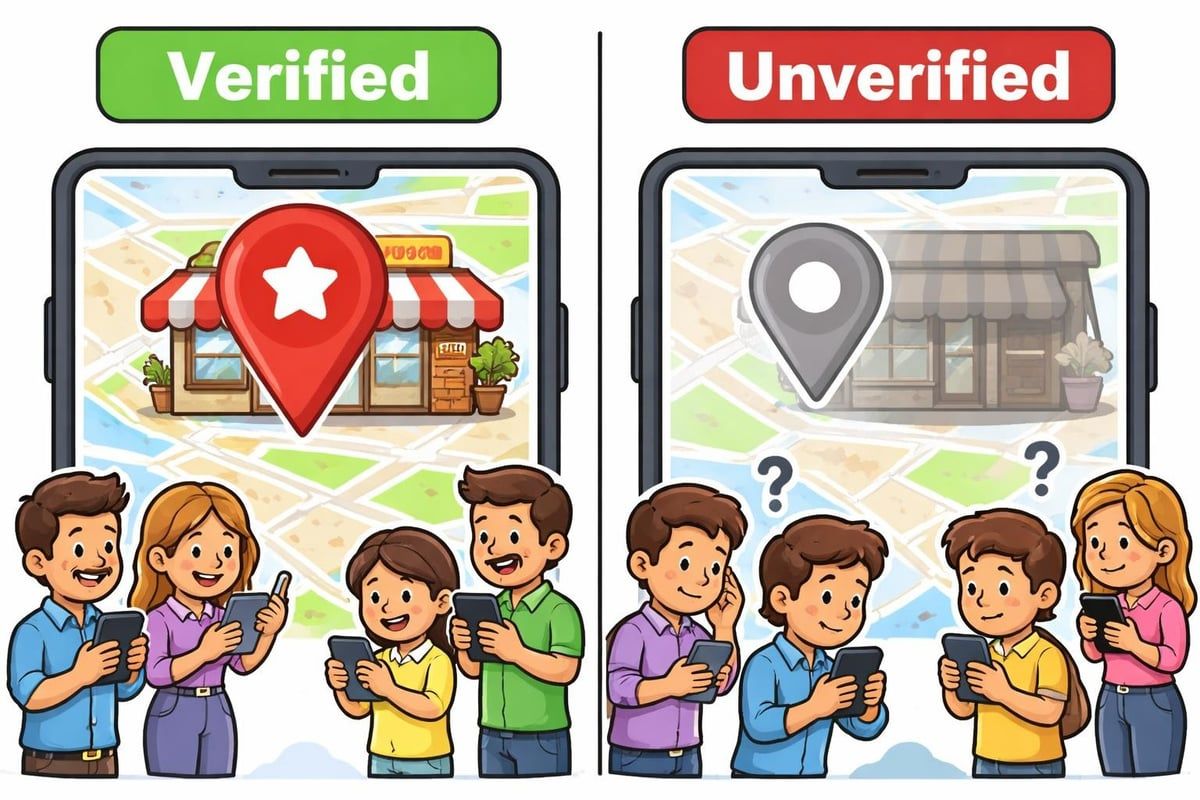
- Visibility gap: Unverified businesses simply don't appear in Google Maps results
- Trust factor: Customers actively avoid unverified listings, viewing them as potentially fraudulent
- Competitive disadvantage: Verified competitors will always rank above you in local search
- Lost revenue: Every day without verification means potential customers finding your competitors instead
- Advertising restrictions: Access to Google's most powerful local advertising tools requires verification
Available Verification Methods in 2026
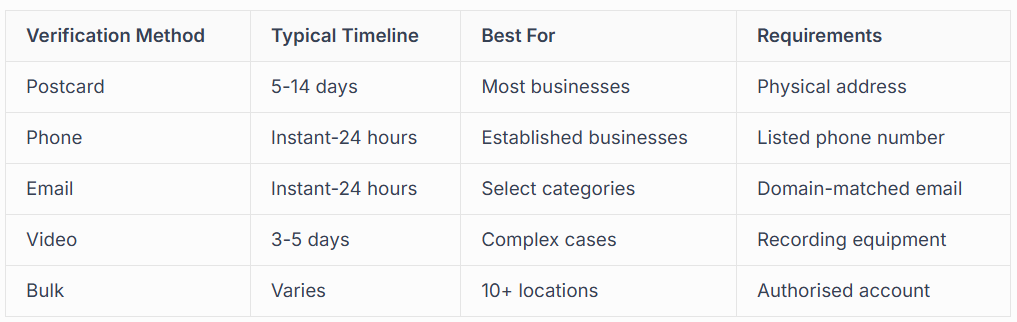
Google offers several ways to verify my business, and the method available to you depends on your business type, location, and industry. Understanding which options you qualify for can help streamline the entire process.
Postcard Verification
The most common method remains postcard verification. Google sends a physical postcard to your business address containing a unique verification code. Once received, you simply log into your Google Business Profile and enter the code.
This process typically takes between five and fourteen business days from request to arrival. The postcard comes from Google and includes clear instructions for completion. Make sure someone at your location can receive and securely store the postcard, as requesting a new one extends your verification timeline significantly.
Phone and Email Verification
Some businesses qualify for instant or near-instant verification through phone or email.The verification process through these methods offers a much faster route to getting your business visible.
Phone verification involves receiving an automated call or text message with a verification code. Email verification sends the code to an email address matching your business domain. These options aren't available to all businesses, particularly newer ones or those in categories Google considers higher risk for fraud.
Video Verification
Introduced for businesses that face challenges with traditional methods, video verification requires you to record a video tour of your business premises. You'll need to show your business signage, interior, and evidence that you operate from the claimed location.
This method works particularly well for businesses operating from shared spaces, home-based businesses in certain categories, or those in rural areas where postcard delivery proves unreliable.
Step-by-Step: How to Verify My Business
Getting started with verification requires careful attention to detail. One small error can delay the entire process by weeks, so following these steps precisely matters enormously.
Before You Begin
First, ensure your business qualifies for a
Google Business Profile. You need either a physical location where customers can visit during stated hours, or you must travel to customers' locations within a defined service area. Purely online businesses without customer-facing operations don't qualify.
Preparation checklist:
- Have your business registration documents ready
- Confirm your exact business address matches official records
- Ensure your phone number is active and accessible
- Prepare high-quality photos of your business exterior and interior
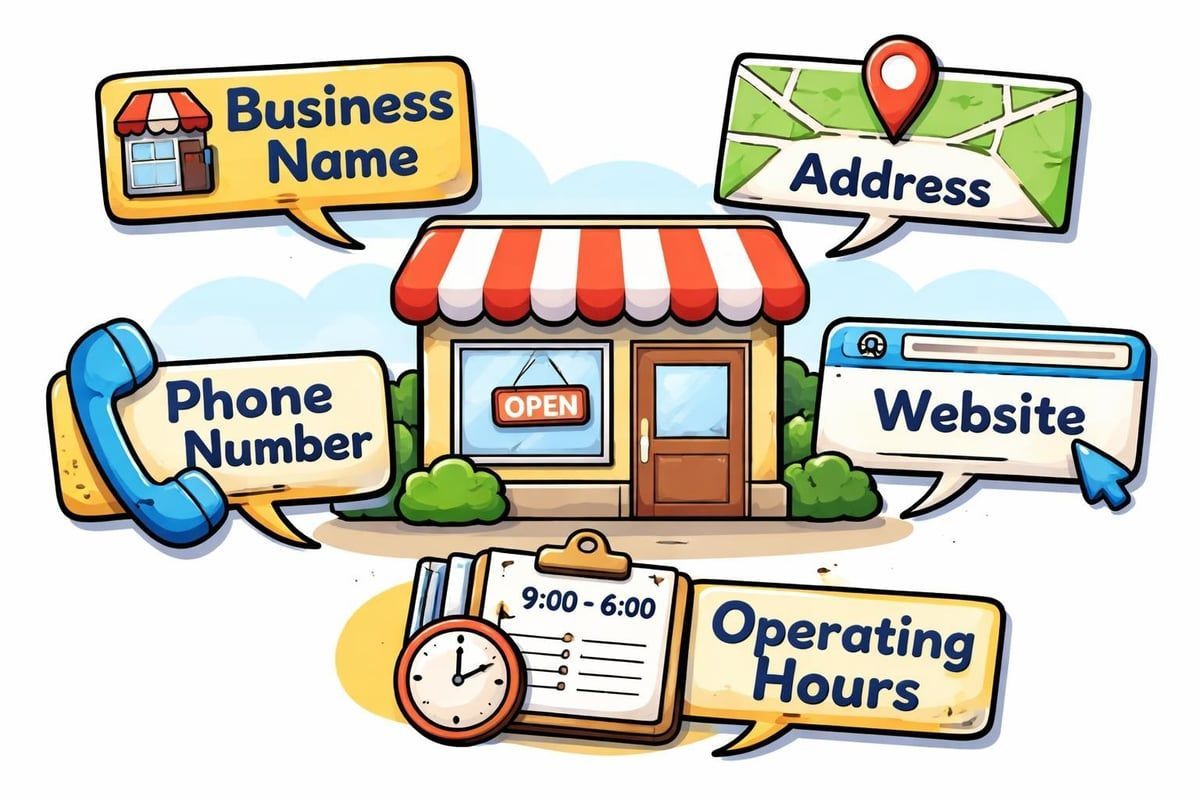
- Gather your business hours, services, and category information
Creating or Claiming Your Profile
Navigate to Google Business Profile and search for your business name and location. If your business already appears (perhaps created by Google or a previous owner), you'll need to claim it. If it doesn't exist, you'll create a new profile from scratch.
The complete verification guide walks through these initial setup steps in detail. Pay particular attention to your business category selection, as this influences which verification methods Google offers you.
Requesting Verification
Once your profile information is complete, Google will present available verification options. Select your preferred method (or the only one offered) and follow the prompts carefully.
For postcard verification, triple-check your address before confirming. The postcard cannot be forwarded, so any errors mean starting over. For phone verification, ensure the number you provide is readily accessible and can receive calls or texts during business hours.
Completing the Verification
When your verification code arrives, log back into your
Google Business Profile. You'll see a prompt to enter your verification code. Input the code exactly as shown, watching for potential confusion between similar characters (like zero and the letter O).
After successful verification, your profile status changes to "Verified" and your business becomes eligible to appear in Google Maps and local search results. This doesn't guarantee immediate visibility, but it removes the biggest barrier preventing customers from finding you.
Common Verification Challenges and Solutions
Even with careful preparation, businesses frequently encounter obstacles during the verification process. Understanding these common issues helps you avoid them or resolve them quickly when they arise.
Postcard Never Arrives
The most frustrating scenario involves waiting weeks for a postcard that never materialises.
Several factors can cause this:
- Incorrect address entry (even small typos matter)
- Business located in newly developed area without established postal routes
- Shared building without clear unit numbers
- Rural location with irregular postal service
- Postcard lost or damaged in transit
Solution approach: Wait the full fourteen days before requesting a new postcard, as requesting too early can actually delay the process. When requesting a replacement, verify your address one more time. Consider using alternative verification methods if available.
Verification Option Not Available
Sometimes the verification method you prefer simply isn't offered. Google's algorithm determines which methods to present based on factors including business age, category, existing online presence, and fraud risk assessment for your industry.
If you're not offered phone or email verification, there's usually no way to force Google to provide those options. Focus instead on successfully completing postcard verification, or explore whether your business qualifies for video verification.
Business Already Verified by Someone Else
This challenging situation occurs when a previous owner, employee, or even a competitor has already claimed and verified your business listing.Professional Google Business Profile management services can help navigate these ownership disputes.
You'll need to request access through Google's ownership transfer process, which requires proving you're the legitimate business owner through documentation like business registration certificates, utility bills, or commercial lease agreements.
Multiple Verification Attempts Flagged
Google monitors for suspicious verification patterns. Too many failed attempts, requesting multiple postcards rapidly, or unusual activity can trigger automatic flags that block further verification attempts.
Best practices to avoid flags:
- Only request one postcard at a time
- Wait the full delivery window before requesting another
- Ensure all information remains consistent across attempts
- Don't create duplicate listings if verification fails
- Avoid using VPNs or proxy servers during the verification process
Why Professional Verification Services Matter
Whilst many businesses successfully verify my business independently, others benefit significantly from professional assistance. The complexity increases for certain business types, and the cost of extended delays can far exceed professional service fees.
When to Seek Expert Help
Consider professional verification support if you operate:
- Multiple business locations requiring bulk verification
- A business in a highly competitive local market where delays cost customers
- From a shared or virtual office space
- A home-based business in a restricted category
- A business that's experienced previous verification failures or profile suspensions
Professional services understand Google's requirements intimately and can navigate edge cases that confuse business owners. They're particularly valuable for businesses requiring reinstatement after suspension or those dealing with duplicate listing issues.
The Connect SEO Advantage
At Connect SEO, our verification service goes beyond simply getting your profile verified. Founded by someone who built their own trade business using Google Business Profile, we understand the frustration of verification delays and the immediate impact visibility has on your bottom line.
Our approach includes:
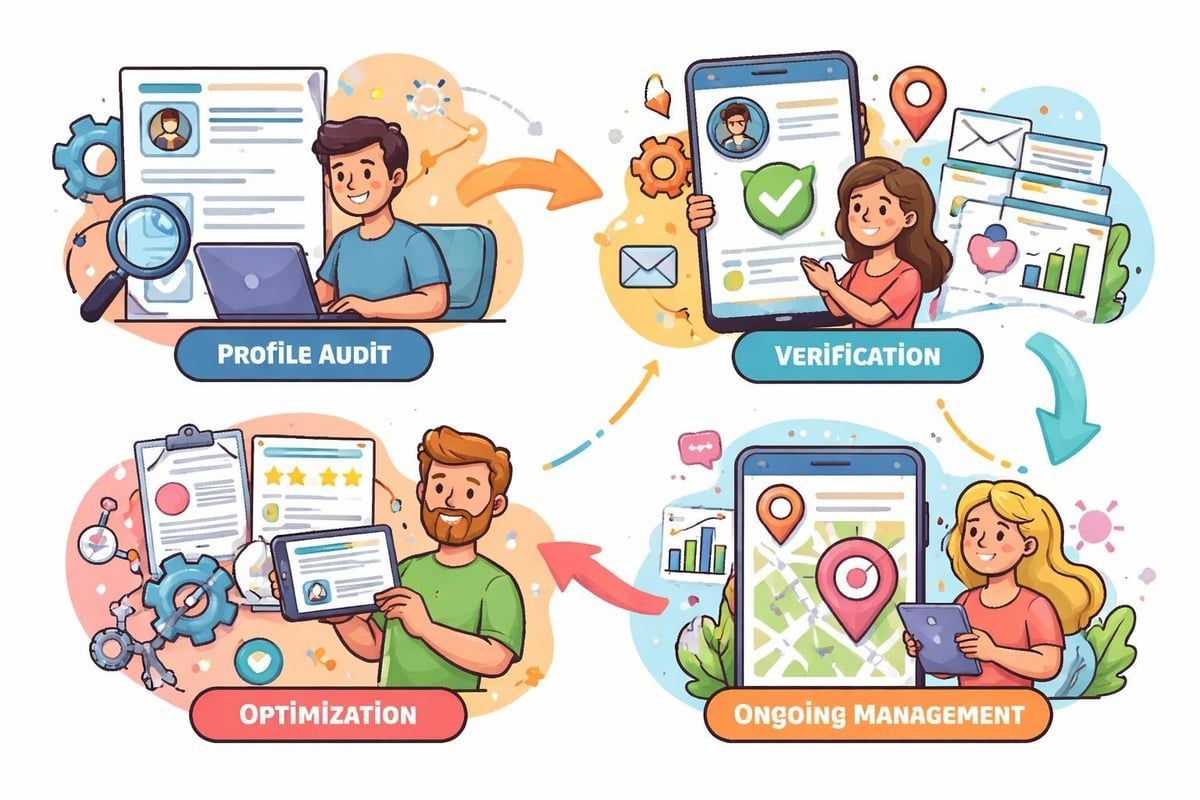
- Initial audit: We review your current profile status and identify any existing issues
- Method selection: We determine the fastest available verification route for your specific situation
- Documentation support: We help gather and present required documents correctly
- Ongoing monitoring: We track your verification progress and address issues immediately
- Post-verification optimisation: Once verified, we optimise your profile for maximum local search visibility
Our team has managed over 2 million views as trusted Google Local Guides, giving us insider understanding of how Google evaluates and ranks local businesses. This expertise, combined with our UK-based support, means you're working with specialists who know both the technical requirements and the practical realities of running a local business.
Optimising Your Profile After Verification
Successfully completing verification is just the beginning. Your verified profile needs proper optimisation to actually attract customers and outrank competitors in local search results.
Essential Profile Elements
A verified but poorly optimised profile won't deliver the results you need.
Focus on these critical components:
Business information accuracy: Ensure your name, address, phone number (NAP) are identical across your website, social media, and directories. Inconsistencies confuse Google and damage your local search rankings.
Category selection: Choose your primary category carefully, as it significantly influences when your business appears in search results. Add relevant secondary categories, but don't overdo it with irrelevant options.
Business description: Write a compelling 750-character description that includes your services, service area, and what makes your business unique. Naturally incorporate keywords customers actually use when searching.
Visual Content Strategy
Photos dramatically increase engagement with your
Google Business Profile. Businesses with photos receive 42% more requests for directions and 35% more clicks through to their websites compared to those without.
Upload high-quality images showing:
- Exterior signage and building entrance
- Interior workspace or showroom
- Your team providing services
- Completed projects or products
- Any unique features or amenities
Update photos regularly to signal to Google that your business is active and current. Seasonal photos work particularly well for maintaining fresh content throughout the year.
Managing Your Verified Profile Ongoing
Verification isn't a one-time task. Your Google Business Profile requires ongoing attention to maintain visibility and ranking position in local search results.
Regular Updates and Posts
Google rewards active profiles with better visibility. Create Google Posts weekly highlighting special offers, new services, seasonal promotions, or helpful tips related to your industry. These posts appear directly in search results and Google Maps, giving you additional real estate to capture customer attention.
Keeping your hours updated prevents customer frustration. Mark special hours for holidays, and if you adjust your regular schedule, update it immediately. Wrong hours directly impact your ranking, as Google prioritises accurate, reliable business information.
Review Management
Verified businesses can respond to customer reviews, building trust and improving local search rankings simultaneously.Understanding how business process validation works helps you create systems for consistently managing this crucial element.
Respond to every review within 24-48 hours. Thank positive reviewers specifically, addressing something unique from their review. For negative reviews, respond professionally, acknowledge the issue, and offer to resolve it offline. These responses demonstrate to potential customers that you care about service quality.
Monitoring for Issues
Even verified profiles can face problems. Google occasionally flags legitimate businesses for re-verification, competitors report profiles for policy violations, or technical glitches cause temporary visibility issues.
Monitor your profile weekly for:
- Changes you didn't make (suggesting unauthorised access)
- Sudden visibility drops in search results
- New reviews requiring responses
- Questions from potential customers
- Suggested edits from users that may be incorrect
Setting up Google Business Profile notifications ensures you're alerted immediately to important changes or customer interactions requiring attention.
Advanced Verification Scenarios
Some situations require specialised approaches to successfully verify my business. Understanding these scenarios helps you prepare if your business falls into these categories.
Service Area Businesses
If you travel to customers rather than having them visit your location, you'll operate a Service Area Business (SAB). These businesses face unique verification requirements and restrictions.
You must verify using your actual business address, but that address won't be shown publicly to customers. Instead, you'll define service areas (by postcodes or radius) where you operate. Attempting to hide your real address during verification will fail, as Google requires verifying your actual business location regardless of whether customers visit there.
Multi-Location Businesses
Operating ten or more locations qualifies you for bulk verification, which streamlines the process considerably. However, each location must meet Google's guidelines individually. You can't verify a location that doesn't have distinct customer-facing operations.
Bulk verification requires verification through an authorised bulk verification provider. The process involves submitting spreadsheets with all location data, which Google reviews before providing verification codes for eligible locations.
Home-Based Businesses
Running your business from home creates additional complexity. Google allows home-based businesses in most categories, but you must genuinely provide services from that location and meet customers there or travel to their locations.
You'll verify using your home address, then have the option to hide your street address from public view (showing only your general area). Be prepared to potentially complete video verification demonstrating your home-based business setup if Google requests additional proof.
Verifying your business on Google is no longer optional if you want local customers to find you in 2026. The process requires attention to detail, patience, and sometimes professional expertise to navigate successfully. Whether you're tackling verification independently or need expert support, getting your profile verified and optimised transforms your local search visibility and directly impacts your ability to attract new customers. If you're ready to get your business verified and visible on Google Maps and search, Connect SEO Ltd provides comprehensive verification services backed by proven local SEO expertise and real-world business experience.











