
Google Business Verify My Business: Complete 2026 Guide
Getting your business visible on Google Maps and local search results starts with one crucial step: verification. When you need to verify your Google Business, you're taking the most important action to establish your online presence and credibility. Without a verified Google Business Profile, potential customers simply won't find you when they're searching for services in your area. This comprehensive guide walks you through everything you need to know about the verification process, from understanding why it matters to navigating each verification method available in 2026.
Why Google Business Verification Is Essential for Your Business
Your
Google Business Profile serves as your digital shopfront. When customers search for businesses like yours, Google needs to confirm you're legitimate before displaying your listing prominently in search results and Maps.
Verification unlocks critical features that unverified businesses miss out on. You gain the ability to respond to customer reviews, post updates about special offers or events, and access valuable insights about how customers find and interact with your listing. More importantly, verification signals trustworthiness to potential customers who are comparing multiple businesses.
The competitive landscape of local search makes verification non-negotiable.
Consider these realities:
- Unverified businesses often don't appear in the coveted "Map Pack" results
- Customers actively avoid unverified listings, viewing them as potentially fraudulent
- Verified competitors will consistently outrank you in local search results
- Google prioritises verified profiles when determining which businesses to show
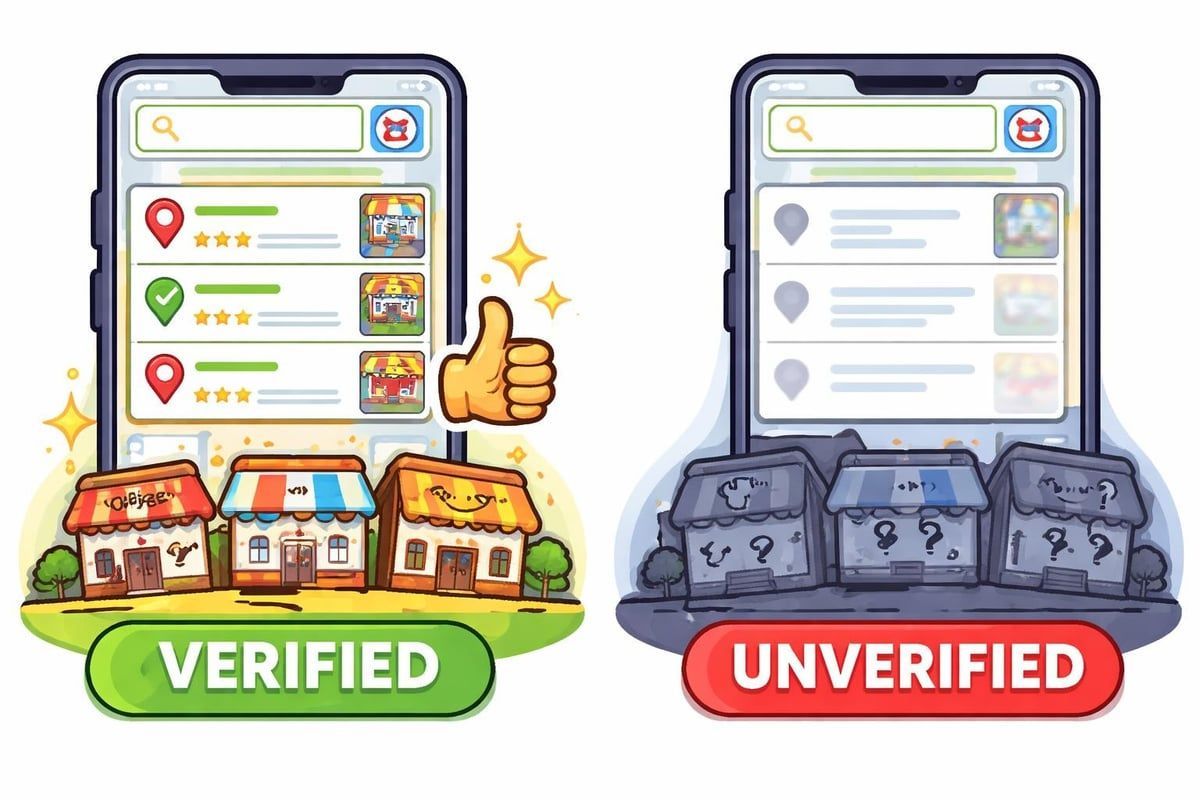
Without completing the process to google business verify my business, you're essentially invisible to the majority of local searchers. Studies show that over 80% of consumers won't engage with businesses that lack verification badges and complete profiles.
The Trust Factor in Local Search
Trust plays a massive role in conversion rates. When potential customers see that verified badge next to your business name, it provides immediate reassurance. They know Google has confirmed your business exists at the stated location and operates as claimed.
This trust factor becomes even more critical for service-area businesses, tradespeople, and home service providers. Customers inviting someone into their home or property need that extra level of confidence. The verification process outlined by Google ensures businesses meet specific criteria before earning that trusted status.
Understanding the Different Verification Methods
Google offers several ways to verify your business in 2026, and the available options depend on your business type, location, and how Google categorises your listing. Let's explore each method so you can understand what to expect when you verify your Google Business.
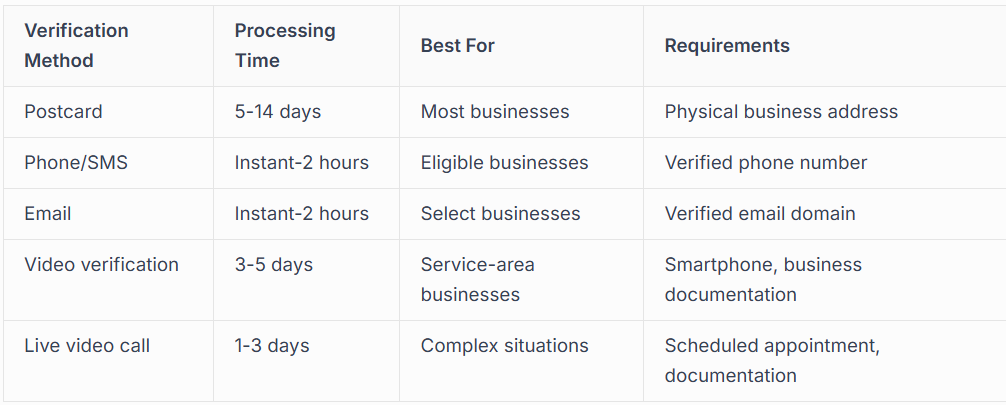
Postcard Verification
This traditional method remains the most common verification option.
Here's how it works:
- Request the postcard through your Google Business Profile dashboard
- Wait 5-14 days for the postcard to arrive at your business address
- Enter the verification code from the postcard into your profile
- Complete your profile once verified
The postcard contains a unique five-digit code. You'll need to enter this code in your Google Business Profile within 30 days of requesting it, otherwise you'll need to request a new one.
Phone and SMS Verification
When available, phone verification offers the fastest route. Google sends a code via automated call or text message to your registered business phone number. You simply enter this code in your profile to complete verification instantly.
Phone verification eligibility depends on several factors including your business category, location history, and Google's assessment of your listing's legitimacy. Not all businesses will see this option, but when you do, it's worth using for speed and convenience.
Email Verification
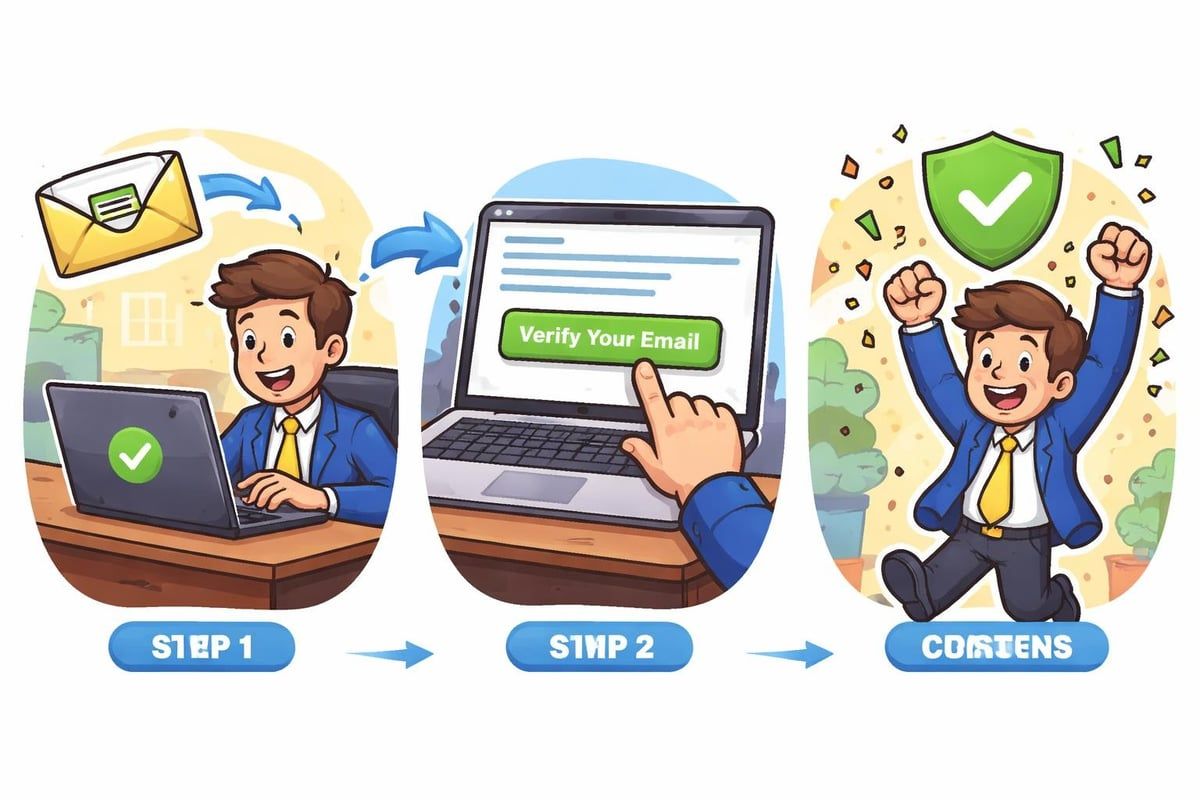
Similar to phone verification, email verification sends a unique link or code to your registered business email address. This method typically appears for businesses using a domain-based email address that matches their website domain.
The key advantage here is speed. Email verification can be completed within minutes if you have access to your business email account. However, detailed verification guidance from Synup notes that this option appears less frequently than postcard verification.
Video Verification Options
Google introduced video verification methods to help businesses verify more quickly and to combat fraudulent listings. Two video options exist in 2026:
Recorded video verification requires you to film a short video following Google's specific guidelines. You'll need to show your business premises, signage, and potentially operate from specific locations within your business whilst recording.
Live video call verification involves scheduling a video appointment with a Google representative. They'll ask you to demonstrate your business location, show documentation, and answer questions about your operations.
Step-by-Step: How to Google Business Verify My Business
Ready to start the verification process? Follow these steps to ensure smooth, successful verification.
Before You Begin
Gather these essential items:
- Access to your Google Business Profile account
- Your registered business phone number
- Access to your business email
- Physical access to your business location (for postcard verification)
- Government-issued business documentation (for video verification)
The Verification Process
Start by logging into yourGoogle Business Profile. If you haven't claimed your listing yet, you'll need to do that first through Google Maps or the Google Business Profile manager.
Once logged in, navigate to the verification section. Google will display which verification methods are available for your specific business. Choose the method that works best for your situation and timeline.
For postcard verification, confirm your business address is absolutely correct before requesting the postcard. Any errors will delay the process significantly. The postcard will arrive within two weeks at the registered address.
For instant verification methods (phone, SMS, email), you'll receive your code within minutes to hours. Keep your devices handy and check spam folders if you don't see the verification message immediately.
After Requesting Verification
The waiting period varies by method, but don't let your profile sit idle. While waiting for verification, you can still optimise other aspects of your listing. Add high-quality photos, write a compelling business description, and ensure your hours, services, and contact information are complete and accurate.
Our Google Business Profile management services help businesses maximise their profiles even before verification completes, ensuring you're ready to make the strongest possible impression once verified.
Common Verification Challenges and Solutions
Even with careful preparation, verification doesn't always go smoothly. Here are the most common issues businesses face when trying to verify your Google Business, along with practical solutions.
Postcard Never Arrives
This frustrating situation happens more often than you'd expect. If your postcard hasn't arrived after 14 days, first check with your reception or mail room to ensure it wasn't misplaced. Then, verify your business address in Google Business Profile matches exactly what's on official records.
Solutions to try:
- Request a new postcard (you can do this after 14 days)
- Contact Google Business Profile support for alternative verification options
- Check if phone or email verification has become available
- Ensure your business address is correctly formatted
Verification Code Doesn't Work
You've received your postcard, but the code isn't being accepted. This typically indicates one of several issues: the code has expired (over 30 days old), you're entering it incorrectly, or there's a technical glitch.
Double-check you're entering the code exactly as written, paying attention to similar-looking characters. If it still doesn't work, request a new verification code and ensure you enter it promptly upon receipt.
Business Suspended During Verification
Sometimes Google suspends business profiles during or immediately after verification. This usually happens when Google's systems detect potential policy violations, even if your business is completely legitimate.
Understanding the reinstatement process becomes crucial here. You'll need to identify why the suspension occurred and address Google's specific concerns through their appeals process. Our experience shows that suspended profiles often result from minor issues like incorrect business categories or address formatting rather than serious violations.
Video Verification Rejection
Video verification can be rejected for various reasons including poor video quality, insufficient documentation shown, or failure to meet Google's specific filming requirements.ReviewTrackers highlights that understanding exact requirements before filming saves significant time.
If rejected, carefully review Google's feedback, address the specific issues mentioned, and resubmit with improved documentation and video quality.
Special Considerations for Different Business Types
The process to google business verify my business varies depending on your business model. Let's examine specific situations that require special attention.
Service-Area Businesses
If you serve customers at their locations rather than at a fixed business address, you're classified as a service-area business (SAB). Tradespeople, plumbers, electricians, and mobile service providers fall into this category.
Service-area business verification typically requires video verification since you may not have a public-facing storefront. You'll need to demonstrate your business operates from the registered address, even if customers don't visit that location.
Key requirements include:
- A registered business address (which won't be publicly displayed)
- Proof you operate from that address
- Clear definition of your service areas
- Appropriate business category selection
Our electrician advertising strategies guide explores how tradespeople can optimise their profiles for maximum visibility once verified.
Multi-Location Businesses
Managing verification across multiple locations presents unique challenges. Each location requires separate verification, and Google scrutinises multi-location businesses more carefully to prevent spam.
Bulk verification options exist for businesses with 10+ locations, but you'll need to work through Google's specific bulk verification process. This typically involves spreadsheet uploads, documentation proving ownership of all locations, and potentially video verification for each site.
Home-Based Businesses
Operating from home doesn't disqualify you from verification, but Google applies stricter requirements. You must serve customers at your home location (not service-area only) and meet all other Google Business Profile guidelines.
Privacy concerns? Google allows you to hide your specific street address whilst still appearing in local search results for your area. However, you'll still need to verify using your actual home address.
Optimising Your Profile After Verification
Successfully completing verification is just the beginning. A verified but incomplete profile won't deliver the results you're after. Here's how to maximise your
verified Google Business Profile.
Essential Profile Elements
Complete every section Google provides:
- Business description: Craft a compelling 750-character description highlighting what makes your business unique
- Categories: Select primary and secondary categories that accurately reflect your services
- Attributes: Add relevant attributes like "women-led", "wheelchair accessible", or "free Wi-Fi"
- Products and services: List specific offerings with descriptions and prices where appropriate
- Photos: Upload high-quality images showing your business, team, and work
Regular Updates and Posts
Verified profiles gain access to Google Posts, a powerful feature for sharing updates, offers, and events. Create posts regularly to keep your profile fresh and engaging. Posts typically display for seven days (or until the event date), so consistent posting maintains visibility.
Post types to utilise:
- Special offers and promotions
- New products or services
- Business updates and news
- Events and workshops
- Seasonal content
Review Management
Once verified, you can respond to customer reviews, which significantly impacts your local search rankings and conversion rates. Responding to every review, both positive and negative, demonstrates professionalism and customer care.
Build a review generation strategy to consistently earn new reviews. More recent reviews carry additional weight in Google's algorithm, so ongoing review acquisition matters as much as your overall rating.
Maintaining Your Verified Status
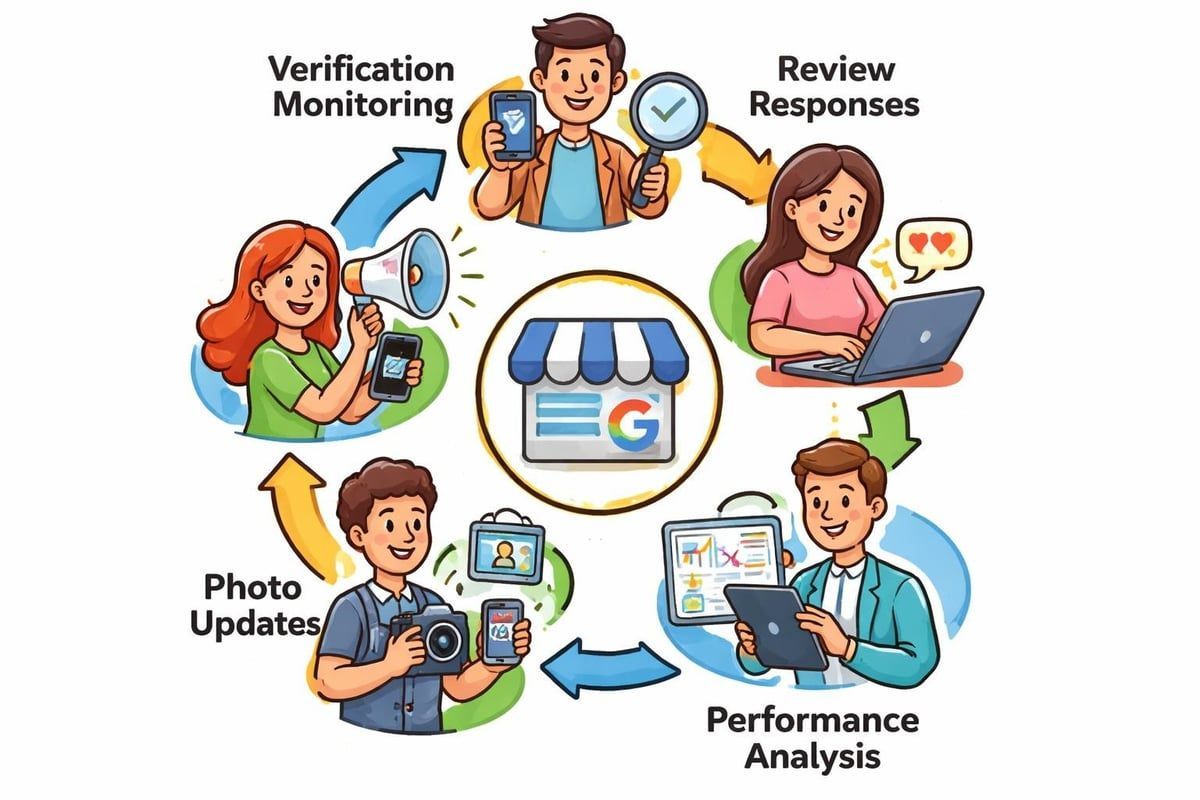
Verification isn't a one-time achievement you can forget about. Google continuously monitors business profiles for compliance and accuracy. Understanding how to maintain your verified status protects your investment in local search visibility.
Common Reasons for Losing Verification
Your profile can lose verified status or face suspension if:
- You make significant changes to your business address
- Your business category no longer matches your actual operations
- Google detects policy violations in your profile content
- Your business permanently closes
- You accumulate spam reports from users
Best Practices for Long-Term Success
Keep your verified profile healthy by following these guidelines:
Update information promptly: Changed your phone number, hours, or services? Update your profile immediately. Outdated information frustrates customers and signals to Google that your profile isn't actively managed.
Follow Google's guidelines strictly: The Google Business Profile guidelines outline exactly what you can and cannot do. Violations risk suspension, even if your business is legitimate.
Monitor your profile regularly: Check your Google Business Profile at least weekly for unauthorised edits, new reviews, or messages from customers. Quick responses improve your local search performance.
When to Seek Professional Help
Some verification situations exceed what business owners can reasonably handle themselves.
Consider professional assistance when:
- Your verification attempt has been rejected multiple times
- Your profile faces suspension during verification
- You manage multiple locations requiring bulk verification
- You've experienced account access issues
- Video verification requirements seem unclear
Professional services like those offered by Connect SEO navigate complex verification scenarios, appeals processes, and profile optimisation with expertise gained from managing hundreds of business profiles.
The ROI of Professional Verification Services
Many business owners attempt to
verify their Google Business themselves, which absolutely can work for straightforward situations. However, professional verification services deliver value beyond simply getting verified.
Time Savings and Expertise
Verification complications can consume hours of your time, particularly if you encounter rejections or suspensions. Professional services handle the entire process whilst you focus on running your business. They also bring experience from handling diverse verification scenarios, knowing exactly how to address specific challenges.
Complete Profile Optimisation
Beyond basic verification, professional services optimise every aspect of your profile for maximum visibility and conversions.
This includes:
- Keyword research for your business description
- Strategic category selection
- Professional photo optimisation
- Review generation strategies
- Ongoing performance monitoring
Support for Complex Situations
Certain scenarios almost always require professional intervention. Service-area businesses navigating video verification, multi-location enterprises coordinating bulk verification, or businesses recovering from suspensions benefit enormously from expert guidance.
How Verification Fits Into Your Broader Marketing Strategy
Your verified Google Business Profile shouldn't exist in isolation from your other marketing efforts. Integration creates synergy that amplifies results across all channels.
Connecting Verification to Local SEO
A verified profile forms the foundation of local SEO success. However, it works best alongside other optimisation efforts like local citations, backlinks from relevant websites, and on-site SEO for your business website.
Your website SEO strategy should complement your Google Business Profile, with consistent NAP (name, address, phone) information across all platforms and strategic linking between your website and profile.
Supporting Paid Advertising Efforts
If you're running Google Ads campaigns, a verified and optimised Google Business Profile enhances your paid advertising performance. Local campaigns and call-only ads perform significantly better when supported by a complete, verified profile.
Understanding Google advertising costs helps you budget appropriately for paid campaigns that complement your organic local search presence. The combination of verified profile visibility and targeted paid ads creates multiple touchpoints with potential customers.
Building a Complete Online Presence
Your Google Business Profile represents one element of a comprehensive online presence.Content creation services support your profile by generating blog posts, service pages, and helpful resources that establish expertise and improve search visibility.
Videos showcasing your work, customer testimonials, and behind-the-scenes content all enhance both your profile and broader marketing efforts. This integrated approach positions your business as the obvious choice when customers search for your services.
Looking Ahead: Verification Trends in 2026 and Beyond
Google continues evolving its verification processes and requirements. Staying informed about these changes ensures your business maintains its verified status and competitive advantage.
Increasing Automation and AI
Google increasingly uses artificial intelligence to detect fraudulent listings and verify legitimate businesses. This means faster verification for obviously legitimate businesses but potentially more scrutiny for edge cases or businesses in high-spam categories.
Enhanced Video Requirements
Video verification continues expanding as a primary method, particularly for service-area businesses and home-based operations. Expect Google to refine video requirements, potentially adding new documentation needs or specific filming protocols.
Integration with Other Google Services
Google increasingly connects Business Profiles with other services like
Google Ads, Google Analytics, and Search Console. Verified businesses gain access to richer data and integration opportunities that unverified competitors miss.
Stricter Quality Standards
Google continuously raises quality standards for business profiles. What sufficed for verification in previous years may not meet current requirements. Regular profile maintenance and updates become increasingly important for maintaining verified status.
Successfully navigating the process to google business verify my business opens doors to local search visibility, customer trust, and business growth that simply aren't available to unverified competitors. Whether you choose to handle verification yourself or seek professional assistance, understanding the methods, requirements, and best practices ensures you make informed decisions that protect your investment. At Connect SEO Ltd, we specialise in hassle-free Google Business Profile verification and ongoing optimisation, bringing UK-based expertise and a proven track record to help your business achieve and maintain the verified status that drives real results. Our founder's experience as both a tradesman and Local Guide with over 2 million views means you're partnering with someone who genuinely understands your business and the local search ecosystem.











