
Google My Business Verify My Business: Complete Guide 2026
Getting your business visible on Google Maps and local search results starts with one crucial step: verification. If you're searching for "google my business verify my business," you're already on the right track to unlocking your local search potential. Without a verified Google Business Profile, your business essentially doesn't exist to local customers searching for your services. This comprehensive guide walks you through everything you need to know about verification, from understanding why it matters to choosing the right verification method for your specific situation.
Why Verification Is Essential for Your Business
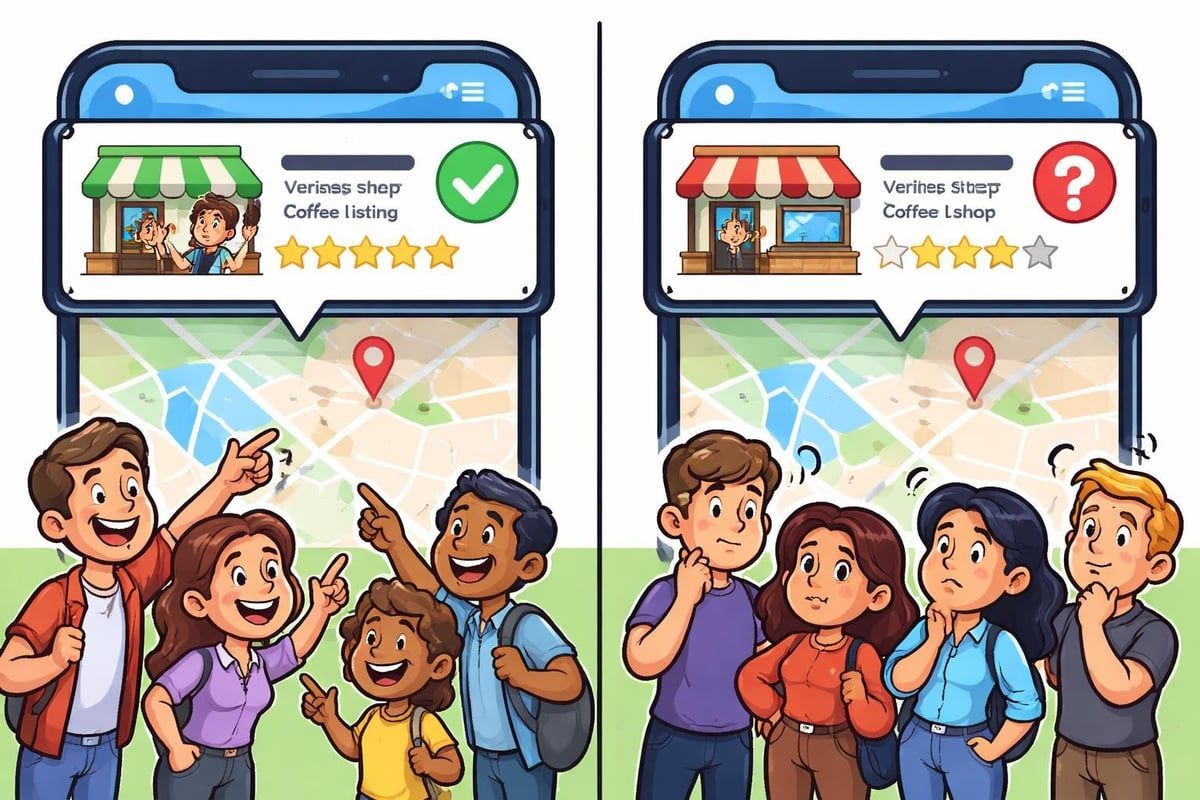
When potential customers search for services in your area, they're looking at verified businesses first. Unverified profiles simply don't appear in Google Maps results, which means you're losing valuable leads to competitors who've completed this critical step.
Trust is another massive factor. Customers are significantly less likely to contact an unverified business because the verification badge signals legitimacy and authenticity. Would you trust a business that Google hasn't confirmed exists at the stated address?
The Competitive Disadvantage of Remaining Unverified
Your competitors with verified profiles will always rank above you in local search results. This isn't just about appearing lower in results; it's about being invisible entirely.
The verification process confirms to Google that:
- Your business exists at the physical location you claim
- You have the authority to manage the business information
- Customers can reliably find and contact you
- Your business meets Google's quality guidelines
The verification process is Google's way of maintaining trust in their local search ecosystem. Without it, spam listings and fake businesses would flood search results, making the entire system worthless for genuine searchers.
Understanding Google Business Profile Verification Methods
Google offers several ways to verify your business, and the methods available to you depend on your business type, location, and how Google categorises your listing. Let's explore each option in detail.
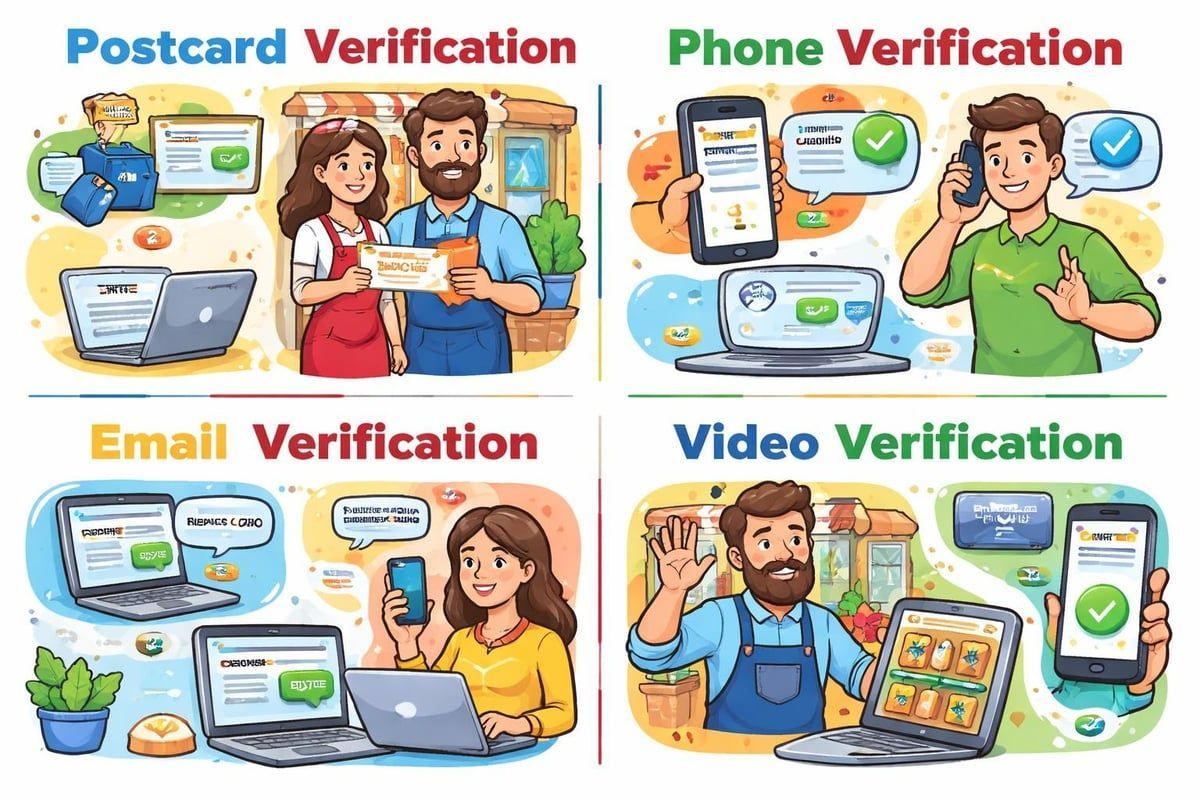
Postcard Verification: The Traditional Method
Postcard verification remains the most common method for most businesses. Google sends a physical postcard to your business address containing a unique verification code. This process typically takes 5-7 business days, though delays can occur.
Here's what you need to know:
- Request the postcard through your Google Business Profile dashboard
- Wait for delivery (monitor your post carefully)
- Enter the code exactly as it appears on the postcard
- Complete verification within 30 days before the code expires
The postcard method proves you have access to the physical location, which is why Google uses it as the default for most brick-and-mortar businesses. If you're managing multiple locations, you might be eligible for bulk verification options that streamline the process.
Phone and Email Verification Options
Some businesses receive the option for phone verification, which is significantly faster than waiting for a postcard. Google sends a text message or automated call with a verification code you can enter immediately.
Email verification works similarly but is less commonly offered.
Google determines eligibility based on various factors, including:
- Business category and type
- How long the business has been established
- Whether Google has existing verification data
- The completeness of your business information
Not every business will see these options, and Google doesn't publicly disclose the exact criteria. The phone verification method is particularly useful for service-area businesses that don't have a public-facing location.
Video Verification for Service Businesses
Video verification is a newer option that Google offers to certain service-area businesses.
This method requires you to record a video showing:
- Your business location or workspace
- Proof of business operations
- Documentation matching your business information
- Your face (as the business owner or authorised manager)
This verification method suits businesses without a traditional storefront, such as tradespeople, consultants, or home-based businesses. The video must follow strict guidelines, and Google reviews it manually, which can take several days.
Step-by-Step Verification Process
Let's walk through exactly
how to verify my google business, regardless of which method you're using. The foundation remains the same across all verification types.
Preparing Your Business Profile
Before you can verify, ensure your profile is completely and accurately filled out:
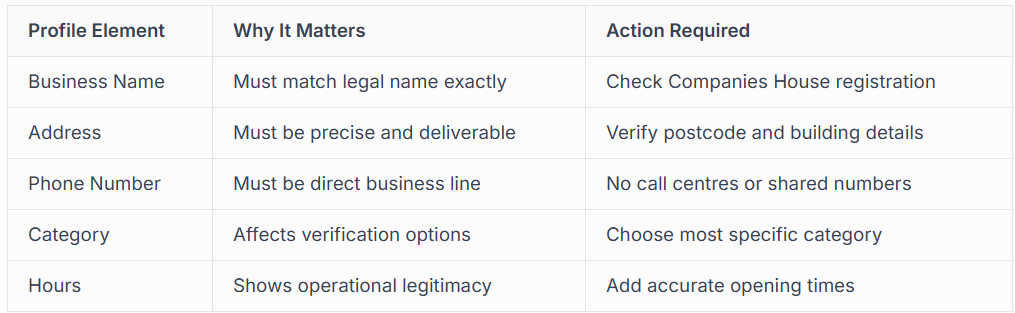
Incomplete profiles may not receive all verification options. Take time to add high-quality photos, a detailed business description, and your services before requesting verification.
Initiating the Verification Request
Log into your
Google Business Profile (formerly Google My Business) and navigate to the verification section. You'll see available verification methods displayed clearly.
Never attempt to verify the same business multiple times simultaneously. This creates confusion in Google's systems and can delay or prevent successful verification. Choose one method and see it through completely.
Common Verification Challenges and Solutions
Even when you follow the process carefully, issues can arise. Understanding these common problems helps you resolve them quickly.
Postcard Never Arrives
Postal delays happen, but if your verification postcard hasn't arrived after 14 business days,
you have options:
- Request a new postcard (but wait the full 14 days first)
- Check with reception, neighbours, or building management
- Verify your address is correctly formatted
- Ensure your business name matches the door or letterbox
Multiple postcard requests for the same location can trigger Google's spam filters, so patience is important. If you're repeatedly experiencing issues, professional verification services can help navigate complex situations.
Verification Option Not Available
Sometimes verifying my google business searches lead you to discover that your preferred verification method isn't offered.
This happens when:
- Google hasn't indexed enough information about your business
- Your business category doesn't qualify for instant verification
- Previous verification attempts created flags in the system
- Your business shares an address with other businesses
The solution often involves waiting 3-5 days after completing your profile, then checking again for new verification options. Adding more details, photos, and ensuring complete accuracy can trigger additional verification methods to appear.
Account Suspension During Verification
Account suspensions are frustrating but increasingly common as Google tightens quality controls.
Common triggers include:
- Using a virtual office or mail forwarding address
- Listing a service area business with a hidden address incorrectly
- Multiple businesses at the same address in unrelated industries
- Suspicious activity or rapid changes to the profile
If you're suspended during verification, don't panic. The reinstatement process requires careful documentation and often benefits from professional guidance, especially if you're running a legitimate business that's been caught in automated filters.
Optimising Your Profile After Verification
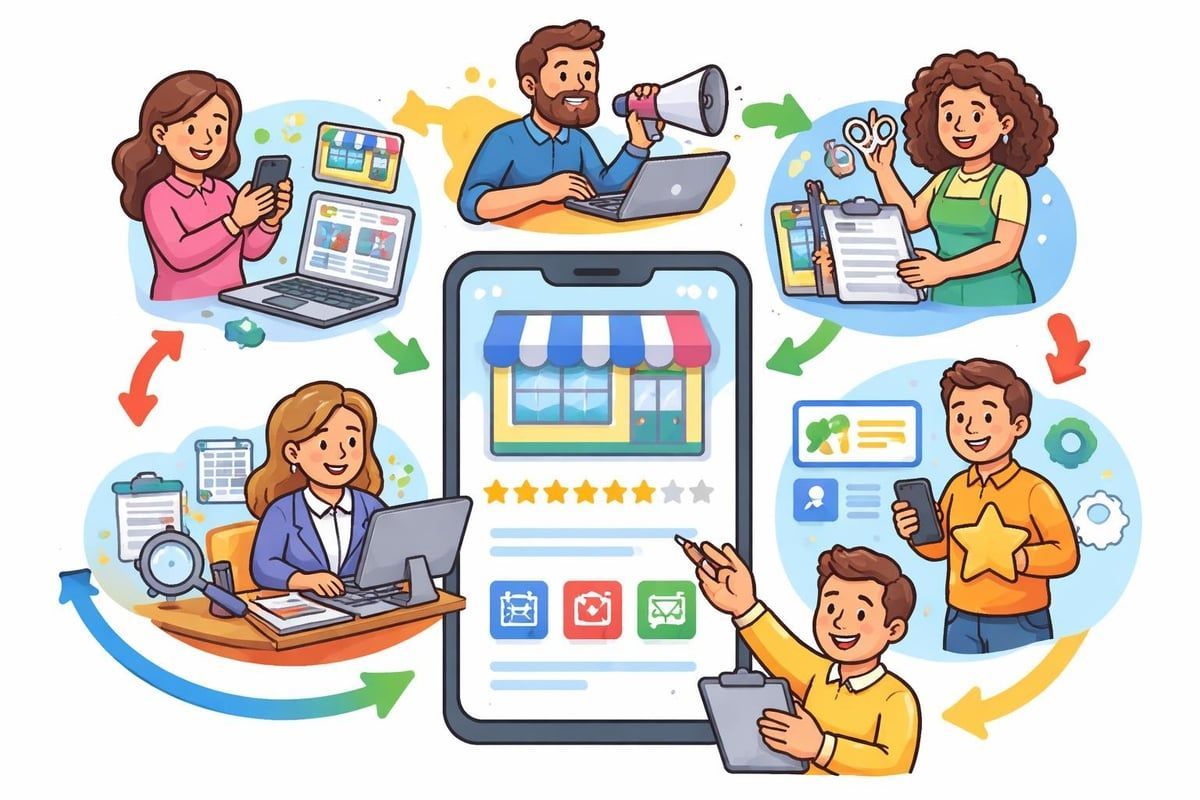
Verification isn't the finish line; it's the starting point. Once you've successfully verified your listing, optimisation becomes crucial for actually appearing in search results and attracting customers.
Essential Post-Verification Actions
Your verified profile needs regular attention to maintain and improve its visibility.
Here's your priority checklist:
- Upload 10+ high-quality photos showing your work, team, and location
- Add all relevant services with detailed descriptions
- Enable messaging so customers can contact you directly
- Post updates weekly to demonstrate active business operations
- Respond to reviews promptly and professionally
These actions signal to Google that your business is active and engaged, which directly impacts your local search rankings. Businesses with complete, regularly updated profiles appear up to 70% more often in local searches than those with basic information only.
Leveraging Your Verified Status
Now that you're verified, you can access powerful features unavailable to unverified listings:
- Google Posts for announcements, offers, and events
- Messaging for direct customer communication
- Q&A management to control your narrative
- Insights and analytics showing how customers find you
- Booking buttons and service integrations
Many businesses focus solely on getting verified and then neglect their profile. This is a massive missed opportunity. Professional Google Business Profile management ensures your verified listing works as a 24/7 marketing asset, not just a static directory entry.
When to Seek Professional Verification Help
While
verifying my google business process is designed to be self-service, certain situations genuinely benefit from professional expertise. This isn't about paying for something you can't do yourself; it's about avoiding costly delays and mistakes
.
Complex Business Situations
Some businesses face verification challenges that require specialist knowledge:
- Multiple locations needing bulk verification
- Service area businesses with specific verification requirements
- Businesses sharing addresses with other companies
- Recently moved businesses with address history complications
- Franchise operations with brand guidelines
These scenarios often involve nuances that aren't covered in standard Google documentation. Experienced professionals understand how Google's systems evaluate these edge cases and can structure your verification request for success.
Time-Sensitive Verification Needs
If you're launching a business, running a time-sensitive promotion, or need to appear in local search immediately, the standard 5-14 day postcard verification timeline might not work.
Professional services often have access to:
- Faster verification methods through verified partner programmes
- Direct support channels for resolving issues quickly
- Bulk verification processes for multiple locations
- Priority review for video or document verification
The cost of professional verification services is often less than the revenue lost from delayed local search visibility. For established businesses, every day without a verified profile is potential income going to competitors.
Dealing with Suspensions and Flags
If your business has been suspended, soft-suspended, or flagged during verification, DIY reinstatement is risky. One wrong move in your appeal can result in permanent removal.
Professional help makes sense because:
- Appeals require specific documentation and formatting
- Google's review process is opaque and inconsistent
- Multiple failed appeals reduce future success chances
- Suspended accounts have limited communication options
Services specialising in Google Business Profile suspensions understand what Google's review teams look for and how to present your case effectively. This expertise dramatically increases reinstatement success rates.
Maintaining Your Verified Status Long-Term
Getting verified is one thing; staying verified requires ongoing compliance with Google's guidelines. Violations can result in unverification or complete suspension, wiping out all your local search visibility instantly.
Activities That Risk Your Verification
Keyword stuffing your business name is one of the fastest ways to lose verification. Your business name must match your real-world business name exactly. Adding terms like "Best Plumber London" or "24hr Emergency" to your name violates guidelines, even if it seems to help visibility initially.
Other risky behaviours include:
- Creating multiple listings for the same location
- Using a virtual office address without proper service area setup
- Adding fake reviews or engaging in review manipulation
- Listing services outside your actual business category
- Frequently changing your business address
Google's algorithms detect these patterns, and manual reviewers investigate reports from competitors or customers. Stay compliant by following detailed verification guidance and understanding current policy updates.
Regular Profile Maintenance Requirements
Think of your verified Google Business Profile as requiring monthly maintenance, similar to your website or social media. Set calendar reminders for these essential tasks:
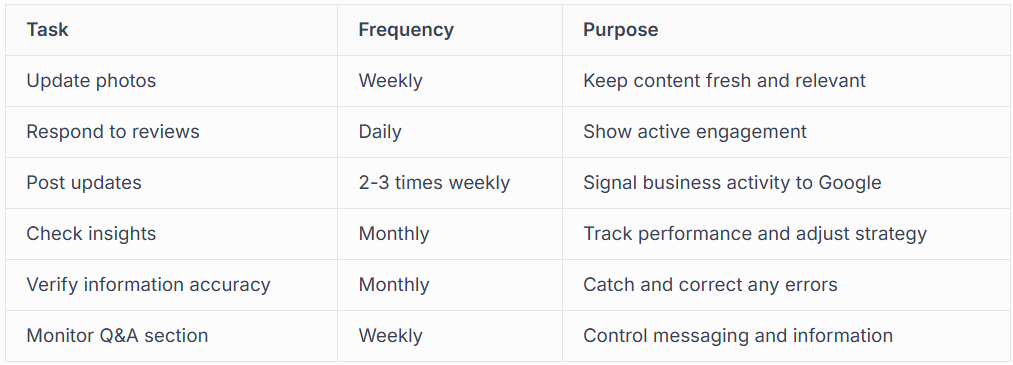
Businesses that maintain their profiles consistently see better rankings, more clicks, and higher conversion rates than those that verify and forget. This ongoing attention demonstrates to both Google and potential customers that you're a serious, professional operation.
Protecting Against Unauthorised Changes
Unauthorised edits to your Google Business Profile are surprisingly common. Competitors, disgruntled former employees, or even well-meaning customers can suggest changes that Google may automatically approve.
These changes can alter your:
- Business hours (showing you're closed when you're open)
- Phone number (directing calls elsewhere)
- Website URL (sending traffic to competitors)
- Business category (affecting what searches you appear in)
Enable notifications for all suggested edits and review them immediately. Reject inappropriate changes and, if you notice repeated malicious activity, document it for Google support. Some businesses benefit from having multiple authorised managers to monitor the account, though this requires careful access control.
Understanding Verification for Different Business Types
Not all businesses verify the same way. Google's requirements vary significantly based on your business model, and understanding these distinctions helps you approach verifying my business correctly from the start.
Service Area Businesses (SABs)
If you serve customers at their locations rather than at your business address, you're a service area business. Think plumbers, electricians, mobile hairdressers, or delivery services.
These businesses have specific requirements:
- You must hide your business address from customers
- You define service areas by radius or specific postcodes
- Verification often requires video or additional documentation
- You cannot have a visible storefront in most categories
Many service businesses make the critical error of listing their home address publicly, then wondering why verification fails. Understanding how to properly set up service area businesses prevents these issues and ensures compliance.
Retail and Office Locations
Brick-and-mortar businesses with customer-facing locations have the most straightforward verification process.
Your business must be open to customers during stated hours, and your address must be:
- A physical location (not a PO box)
- Publicly accessible during business hours
- Clearly marked with your business name
- The actual place where you serve customers
Retail locations typically receive postcard verification, with phone or email verification appearing for businesses with strong existing web presence or those that have been operating for extended periods.
Professional Services and Home-Based Businesses
Lawyers, accountants, consultants, and other professionals working from home face unique challenges. You're not a service area business (you see clients at your office), but you're operating from a residential address.
Key considerations include:
- Your business must have a separate entrance or dedicated office space
- You must actually receive clients at this location
- Signage or building directory listing helps verification
- Appointment-only businesses need clear indication of this
Some professional services qualify for video verification, where you demonstrate your legitimate office setup. This proves to Google that you're not just using a residential address to game local search results in a desirable area.
Advanced Verification Tips for 2026
The verification of my google business landscape has evolved significantly, with Google introducing new requirements and tightening existing ones throughout 2025 and into 2026. Staying current with these changes prevents verification delays and rejections.
Identity Verification Requirements
Google now requires identity verification for many business profiles, particularly new ones or those in categories prone to fraud.
This process involves:
- Providing government-issued ID matching the business owner
- Linking to official business registration documents
- Video verification of the person managing the account
- Proof of business licensing where applicable
This additional layer prevents spam and ensures accountability. While it adds extra steps, businesses that complete identity verification often receive priority access to new features and support channels.
Bulk Verification for Multi-Location Businesses
If you operate 10 or more locations, you may qualify for bulk verification, which significantly streamlines the process.
Requirements include:
- Chain business with consistent branding
- Documented proof of all locations
- Authorisation as the official account manager
- Completion of Google's verification partnership programme
The bulk verification process requires careful preparation and documentation but saves enormous time compared to verifying locations individually.
Instant Verification Options
Some businesses receive instant verification without any postcard, phone, or email requirement.
Google automatically verifies your business if you meet certain criteria:
- You've verified your website through Google Search Console
- Your business appears in trusted third-party databases
- You have established presence in Google's knowledge graph
- Your business category and information match authoritative sources
This option appears automatically if you qualify, you cannot request it directly. However, ensuring your business information is consistent across the web, verifying your website through Search Console, and maintaining accurate citations in directories increases your chances of qualifying.
The Real Cost of Remaining Unverified
Understanding what you lose by not completing google my business
verify my business helps prioritise this task in your marketing activities. The costs are both immediate and compound over time.
Lost visibility is the most obvious cost. Unverified businesses don't appear in the Map Pack (the three businesses shown with a map in Google search results), which receives the majority of clicks for local searches.
You're also excluded from:
- Google Maps search results
- "Near me" searches on mobile devices
- Voice search results from Google Assistant
- Local inventory and product searches
These search types represent the highest-intent local traffic, customers who are ready to make a purchase or book a service right now. Missing this traffic directly impacts your bottom line.
Customer Trust and Conversion Impact
Even if customers somehow find your unverified listing, conversion rates suffer dramatically.
Studies show verified businesses receive:
- 70% more location requests for directions
- 50% more website clicks
- Significantly higher call volumes
- Better review generation and engagement
The verification badge signals legitimacy. In an era of online scams and fake businesses, this trust signal is increasingly important to customers, particularly for higher-value services or purchases.
Competitive Disadvantage Compounds Monthly
Every month you remain unverified, your competitors with verified profiles are building their presence through:
- Accumulating reviews that boost their rankings
- Generating engagement signals through clicks and calls
- Building search history that reinforces relevance
- Capturing market share that becomes their established customers
Catching up becomes progressively harder. Even after you verify, you'll need months of consistent optimisation to reach the visibility levels competitors achieved simply by verifying earlier. The opportunity cost of delayed verification extends far beyond the verification period itself.
Verifying your Google Business Profile transforms your local search visibility and puts you on equal footing with competitors who've already completed this essential step. Whether you tackle the process yourself or work with experts who understand the nuances of different verification methods, the important thing is getting it done promptly and correctly. At Connect SEO Ltd, we specialise in hassle-free Google Business Profile verification and ongoing optimisation, helping UK businesses appear in Maps and local search so customers can find and contact you easily.











